Description
By the time you've booked the church, the reception, the caterer, the photo and video team, HMUA, the gown and barong, the stylist and the lights and sounds, you're juggling a lot of reservation fees, downpayments and final balances, each due on a different date and paid a different way. This tracker keeps all of it in one easy-to-read spreadsheet.
Add each supplier once with their category, contact, status, contract date, contract total and reservation fee, plus notes on inclusions and cancellation, refund and rescheduling terms. Then list every installment on the Payments tab. Pick the supplier, type the amount and due date, and change the status to Paid when you've paid, with the date, the method (cash, GCash, Maya, bank transfer, card or cheque) and the invoice or receipt number. Payments past their due date turn rose, and anything due in the next 14 days turns beige.
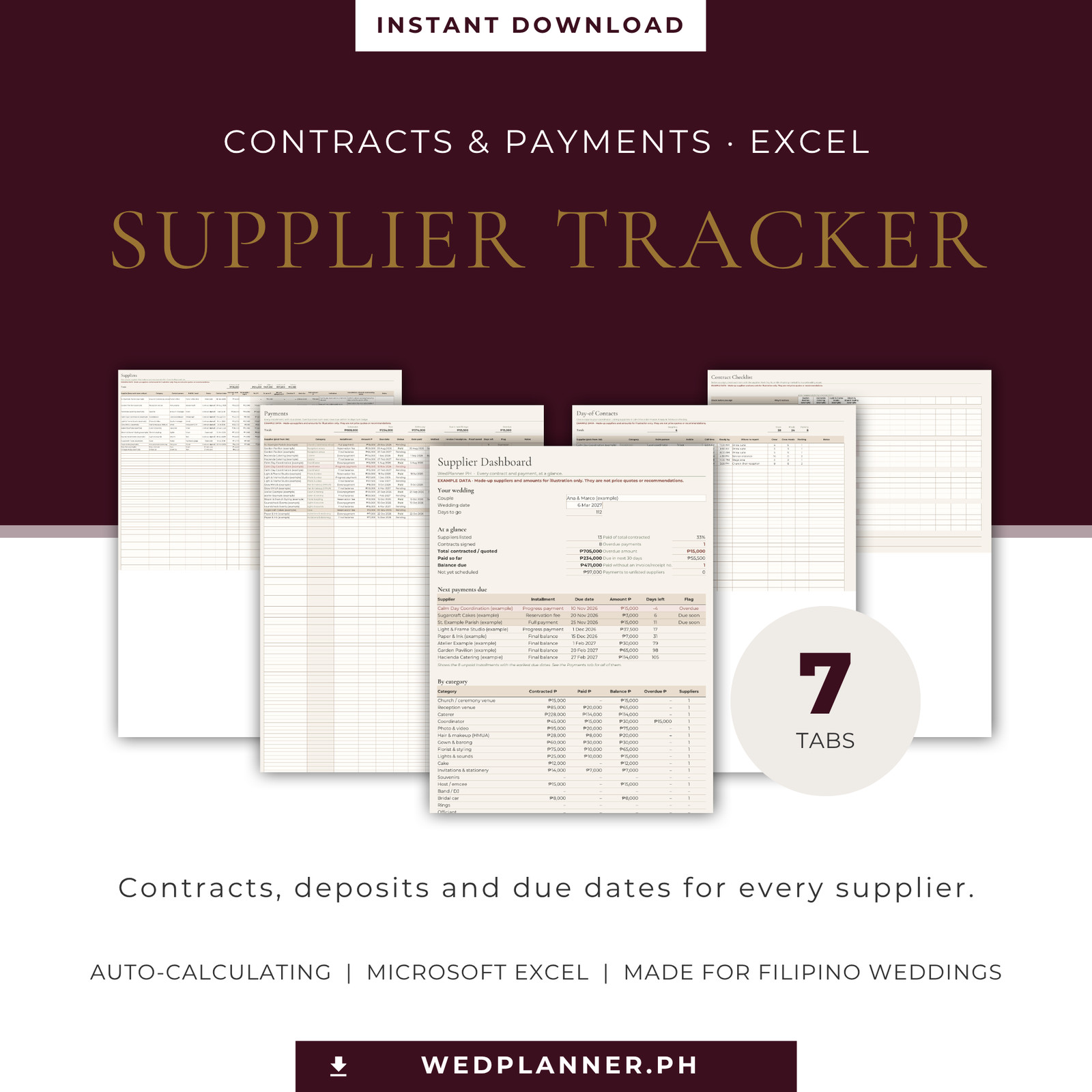
The Dashboard brings it together: total contracted, paid so far, balance due, what's not yet scheduled, overdue payments, what's due in the next 30 days, the next eight payments in date order, and totals by category with a chart. It also counts paid installments that are missing an invoice or receipt number, so nothing slips through.
Before you sign, use the Contract Checklist to go through 20 common questions with up to 12 suppliers side by side: inclusions, crew count, overtime rates, corkage and travel fees, meals for supplier crew, cancellation and rescheduling, force majeure and more. Close to the day, the Day-of Contacts tab keeps each supplier's point person, call time and crew meals on one page for your coordinator.
You type only in the white cells. The totals and flags are worked out for you, and those cells are locked so a formula isn't erased by accident.
The checklist is common planning advice, not legal advice. Read each contract in full, and confirm church fees and rules with your parish.
What's included
- Supplier Contract & Payment Tracker, blank, set for A4 printing (.xlsx)
- Supplier Contract & Payment Tracker, blank, set for US Letter printing (.xlsx)
- Filled-in example file with made-up suppliers and amounts, labelled as example data (.xlsx)
- Read-me
- Personal Use License
- Customization Guide
What's inside
Tabs in each spreadsheet:
- Start Here: how it works and the colour key
- Dashboard: totals, overdue and due-soon amounts, next 8 payments, totals by category and a chart
- Suppliers: 60 rows with category, contact, status, contract date, contract total, reservation fee, paid, balance, not yet scheduled, overdue, next due date and amount, inclusions and terms
- Payments: 200 rows with supplier, installment, amount, due date, status, date paid, method, invoice or receipt number, proof saved, days left and flag
- Contract Checklist: 20 questions in 4 groups, for up to 12 suppliers, with a score for each
- Day-of Contacts: 40 rows with point person, mobile, call time, ready-by time, where to report, crew, crew meals and parking
- Lists: dropdown choices; rename the 20 supplier categories
Format
Made for Microsoft Excel: an .xlsx workbook with working formulas, dropdown lists and conditional colours. No macros. Built and tested for the .xlsx format; other spreadsheet apps may display some features differently.
Each tab prints one page wide. One blank file is set to A4 (210 × 297 mm) and one to US Letter (8.5 × 11 in).
Who it's for
- Engaged couples planning a wedding in the Philippines
- Filipino couples abroad paying suppliers back home
- Couples booking many suppliers on installment plans
- Coordinators helping a couple keep payments on track (with the couple's copy)
FAQ
Is this a physical product? No. It's a digital download.
Which app do I need? Microsoft Excel. The file is a standard .xlsx with no macros. Other apps may open it, but dropdowns, colours or sheet protection may look or behave differently.
How many suppliers and payments does it hold? 60 suppliers, 200 payments and 40 day-of contacts. The Customization Guide shows how to add more rows.
Can I change the supplier categories? Yes. Rename any of the 20 categories on the Lists tab.
Does it pay suppliers or send reminders? No. You record payments yourself, and the tracker adds them up and flags anything overdue or due soon each time you open it.
Does it check my contracts? No. The Contract Checklist lists common questions to ask before signing. It isn't legal advice.
Does it work with the WedPlanner PH Wedding Budget Planner? Yes, by hand. Copy each contract total into the Budget Planner. The files aren't linked.
I need help. Who do I contact? Email support@wedplanner.ph.
Price
PHP 699 · One-time purchase · Instant download of the ZIP (A4 and US Letter spreadsheets, the filled-in example, plus the read-me, license and customization guide)