Philippines Wedding Program Design Ideas (Modern)
By WedPlanner Team
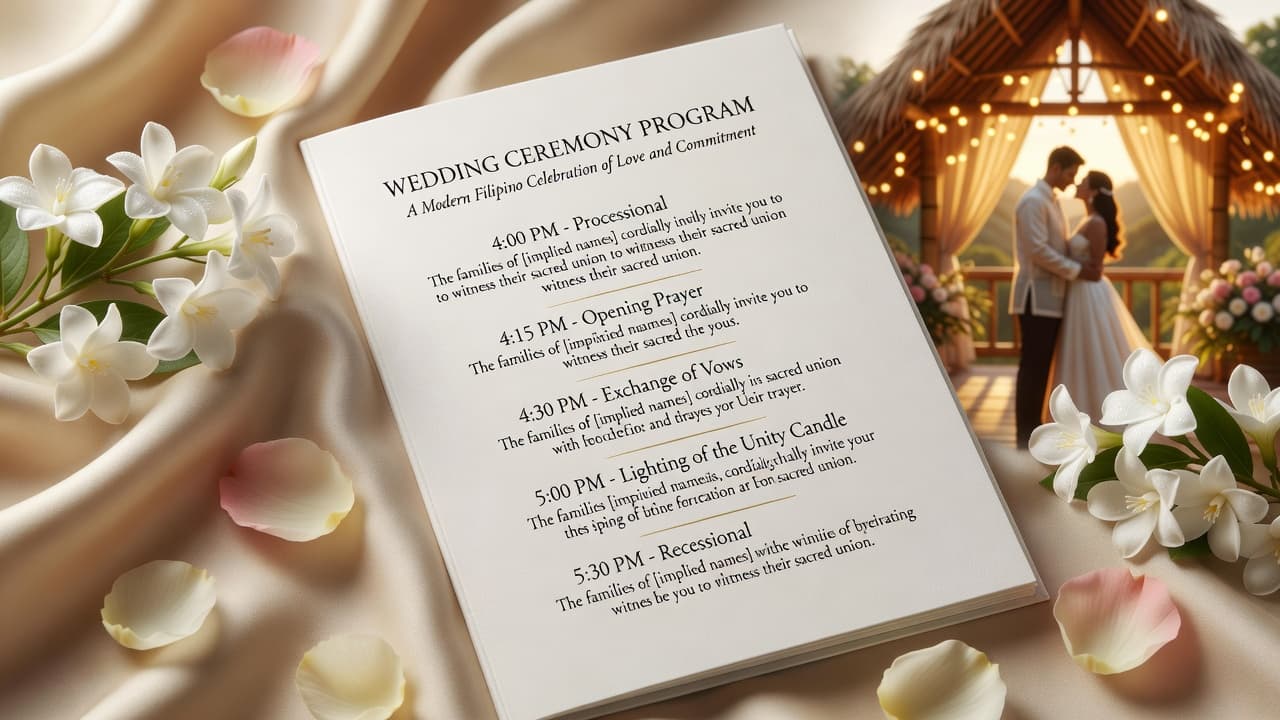
A great wedding program helps Filipino guests follow the ceremony without confusion. This guide shares modern, culturally respectful Philippines wedding program design ideas focused on clear timing, readable layouts, and guest-friendly wording.
Philippines wedding program design ideas for Filipino guests (Readable & Modern)
Quick Answer: A guest-friendly program is clear, consistent, and easy to scan. Use a simple “Ceremony at a glance” block, list events in the order they happen, add approximate timing (with buffers), and write respectful, familiar wording. Pair modern typography with subtle Filipino touches like sampaguita colors or light baybayin-style accents—without clutter.
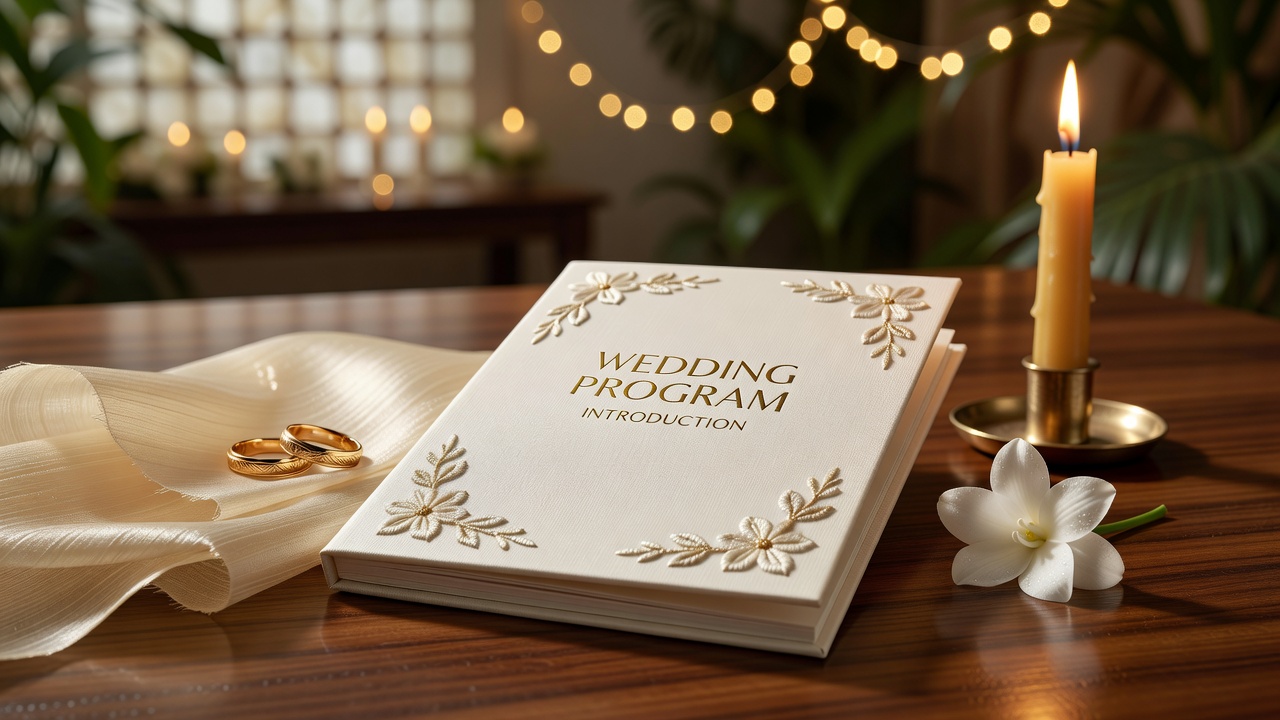
Introduction
When guests can’t quickly understand “what happens next,” the ceremony becomes harder to follow—especially when the program mixes English, Church terms, songs, and roles. If you’re looking for Philippines wedding program design ideas, your goal isn’t just pretty design. It’s smooth flow: guests should find their place fast, know what to do (stand/sit/prepare), and feel included.
Below you’ll find practical design guidance—timing layout, wording that feels Filipino and respectful, and modern formatting choices that improve readability for everyone.
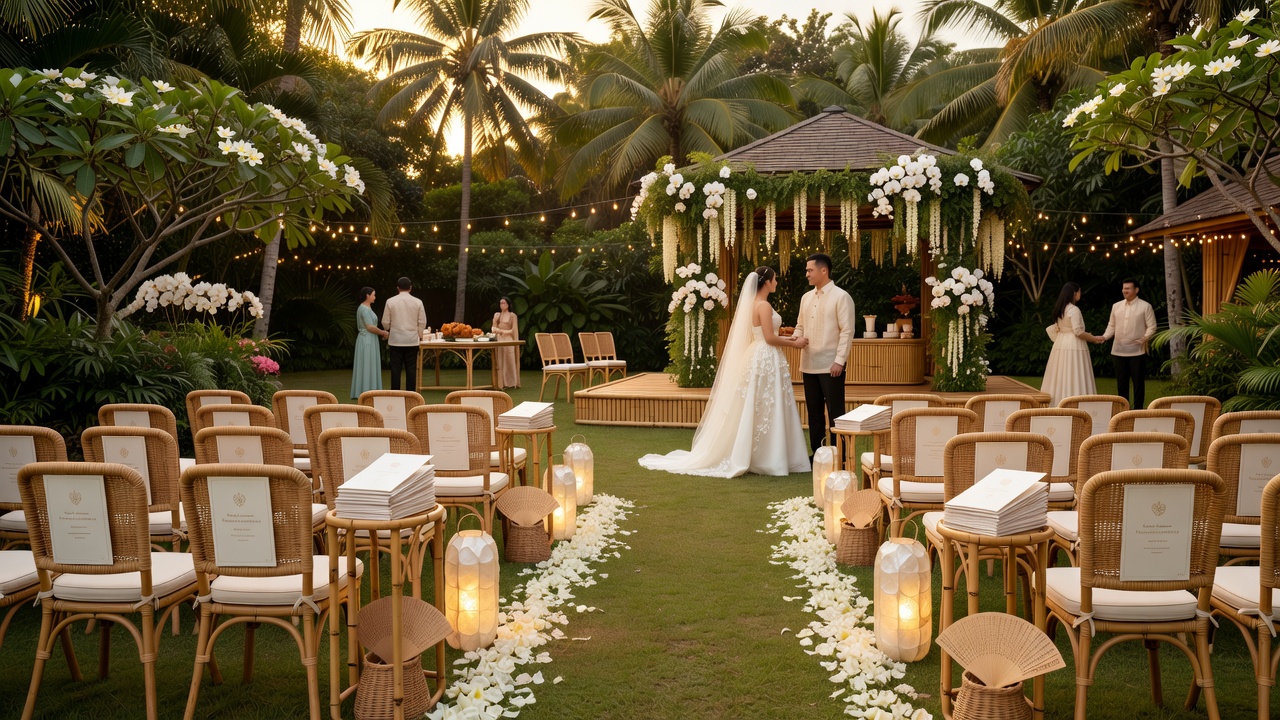
What makes a wedding program “guest-friendly” in the Philippines?
Guest-friendly means your program answers three questions immediately: Where are we in the ceremony? What happens next? What should I do during this part? In Filipino weddings, guests often come from mixed backgrounds (different church practices, familiarity levels, and language comfort), so the program should reduce guesswork.
Use this simple “at-a-glance” structure
For featured-snippet friendliness, here’s a layout formula you can copy:
- Front cover: names, date, venue, and a tasteful Filipino-inspired accent.
- Ceremony at a glance (top of page): event order + approximate time.
- Full program: detailed sequence with stand/sit cues and music/parts.
- People & roles: sponsors, principal sponsors, entourage/ushers, lectors.
- Notes: reminders like silencing phones, photography guidance, acknowledgments.
This structure makes it easy for guests to follow—even if they enter late or arrive without full context.
How do you design clear timing information (without confusing people)?
Timing is helpful only when it’s realistic and visually obvious. Most ceremonies don’t follow a perfect minute-by-minute schedule, so your program should use “approximate” timing and buffer language.
Choose one timing style (and stick to it)
- Style A: Timeline bars (best for modern minimal designs) — show a simple progress line with markers like 6:30 PM, 6:40 PM, etc.
- Style B: Event list with minutes (best for quick scanning) — “6:35 PM • Processional”, “6:40 PM • Opening Prayer”.
- Style C: “Approx.” labels (best for church timing variability) — “Approx. 6:40 PM” next to major parts (mass/prayers, vows, ring ceremony).
Where to place timing in the layout
Place timing near the event name—not in a separate column that requires extra eyestrain. A practical rule:
- Short line items: event name + approx time on the same row.
- Long item details: keep timing only once, then add subtext (e.g., song title) below.
Example: a Filipino guest-friendly timing block
Ceremony at a glance (example wording)
- 5:30 PM — Guests arrive & seating
- 5:45 PM (Approx.) — Processional
- 5:50 PM (Approx.) — Opening Prayer & Scripture Reading
- 6:10 PM (Approx.) — Exchange of Vows
- 6:15 PM (Approx.) — Ring Ceremony & Blessing
- 6:20 PM (Approx.) — Unity / Communion (if applicable)
- 6:25 PM (Approx.) — Signing of the Registry
Note how this avoids “exact” minutes for flexible parts.
What respectful wording should you include (Filipino-appropriate, modern tone)?
Respectful wording reduces friction during key moments. In Filipino weddings, guests respond well to polite, familiar guidance: “Kindly,” “Please,” and “Let us…” phrasing. Keep it short and consistent so it doesn’t feel like instructions are interrupting the ceremony.
Recommended wording categories
- Visitor reminders: silencing phones, seating guidance, late-arrival etiquette.
- Participation cues: stand/sit cues, responses (if church practice requires).
- Photography etiquette: “During vows, we kindly ask guests to refrain from flash.”
- Unity and respect: phrasing that encourages reverence without sounding strict.
Stand/sit cues: keep them simple
Instead of long sentences, use consistent labels:
- (Please Stand) — Processional / Gospel reading / vows (as appropriate)
- (Kindly Remain Seated) — readings or quiet moments
- (All are invited to join) — hymns or responses
Make cues match your church’s actual flow. If your ceremony is not a Catholic Mass, adjust the terminology accordingly (e.g., no “Offertory” if not included).
Modern design with a Filipino feel: what to use (and what to avoid)
Modern doesn’t mean generic. You can add Filipino identity through small, tasteful elements—without sacrificing readability.
Design elements that feel Filipino (without clutter)
- Color cues: white + soft gold, with one accent color drawn from Filipino florals (e.g., sampaguita-inspired palette).
- Light pattern borders: subtle banig texture lines or gentle geometric flourishes near page edges.
- Names typography: elegant script or clean serif for names only (avoid mixing too many font styles).
- Optional bilingual line: a short Tagalog/English phrase for warmth (e.g., “Mula sa aming pamilya…”), not a full translation of every part.
What to avoid (common readability killers)
- Too many font families (e.g., script + display + handwritten + monospace).
- Low contrast: light gray text on white backgrounds.
- Over-decorated timing: timing numbers surrounded by heavy icons.
- Paragraph text blocks: guests scan list items, not essays.
Accessibility tip (important for Filipino weddings with varied ages)
Use high contrast and avoid tiny fonts. If you want a simple reference standard, review general guidance from the W3C Web Content Accessibility Guidelines (WCAG) for contrast and readability principles. (Even though this is print, the readability logic still applies.)
External reading: [External link: W3C WCAG overview]
Choose the right program format: booklet, fold, or single-page?
Your layout decision affects how quickly guests can find info.
Best formats for different ceremony sizes
- Single-page (best for simple ceremonies): ceremony order + a few reminders. Minimal design, very fast scanning.
- Half-fold (best for medium detail): front cover + inside “at a glance” + main sequence on the other side.
- Bi-fold or mini-booklet (best for long programs): multiple sections (mass parts, music, sponsors, acknowledgments).
- Digital + QR backup: good for guests who prefer phones; still print for older guests.
Quick comparison
| Format | Readability | Design flexibility | Best for |
|---|---|---|---|
| Single-page | High (scan-friendly) | Medium | Short ceremonies |
| Half-fold | High | High | Most Filipino weddings |
| Mini-booklet | Medium–High | Very high | Long Mass + roles |
| QR/digital | Depends on device | High | Hybrid audiences |
A step-by-step process to create a modern, Filipino-feeling program
Use this workflow so you don’t end up with a “pretty but confusing” draft.
Step 1: Confirm ceremony sequence (before design)
- Ask your coordinator/priest/officiant or musician for the official order.
- List the parts that guests must follow (vows, ring ceremony, signing, hymns).
- Decide which cues you’ll include (stand/sit) and keep them accurate.
Tip: Put “approximate time” only for major transitions. Save detailed timing for rehearsal notes, not the front-facing program.
Step 2: Draft the text in guest-friendly bullets
Write each event as a short line item:
- Event name (simple)
- Approx time (only once per event)
- Subtext (song title, role, or brief descriptor)
This prevents “wall of text” layouts.
Step 3: Layout for fast scanning
- Hierarchy: big names, medium section headers, readable body text.
- Spacing: increase line spacing slightly for older guests.
- Alignment: keep timing and event names aligned row-by-row.
Step 4: Add Filipino touches subtly
- Use an accent color and small floral/border pattern.
- Keep cultural elements consistent—one theme, not five.
- Consider a short Filipino welcome line on the inside cover to set tone.
Step 5: Proofread for readability (yes, even if it’s “final”)
- Read it out loud once (timing and cues should sound natural).
- Print one test copy and check from arm’s length.
- Ask a relative who isn’t involved to follow the ceremony order using only the program.
Internal link opportunity: [Internal link: wedding planning checklist for Filipino ceremonies]
Common mistakes that cause guest confusion (and how to fix them)
Most wedding program confusion isn’t caused by “bad guests.” It’s usually caused by preventable design/text choices.
1) Too much information on the first page
Problem: Guests freeze when the front page is overloaded.
Fix: Put only the ceremony at a glance + key reminders on the front. Move long details inside pages.
2) Timing that looks exact (when it isn’t)
Problem: Guests assume an exact minute schedule; delays cause misunderstanding.
Fix: Use “Approx.” for major transitions. Keep exact time for arrival/seating only if confirmed.
3) Inconsistent wording for the same cue
Problem: One line says “Please stand,” another says “Kindly arise,” and guests get uncertain.
Fix: Pick one phrasing style (e.g., “Please Stand”) and use it everywhere that cue appears.
4) Small fonts and low-contrast text
Problem: Elders and guests in dim venues struggle to read.
Fix: Choose high contrast and avoid tiny typography. Add a larger-font test print for one copy.
5) Missing roles and responsibilities
Problem: People like sponsors/ushers aren’t identified clearly.
Fix: Add a simple roles section (“Principal Sponsors,” “Lectors,” “Choir,” “Ushers”). Keep it short and properly spelled.
DIY vs. hiring a designer: what costs are realistic?
Costs vary widely depending on print volume, paper quality, and custom finishing, but you can plan confidently by thinking in categories.
What typically affects wedding program cost
- Quantity: more copies usually reduce unit cost.
- Print method: basic digital printing vs. premium paper and finishing.
- Paper choice: matte vs. glossy, weight, and durability.
- Design time: typography, bilingual content, and proofing rounds.
- Special finishes: foil, embossing, spot UV (these raise cost).
DIY can work—if you’re disciplined
- Use a tested template and focus on readable text hierarchy.
- Limit font styles. Choose 2–3 fonts max.
- Do a print test. Don’t rely only on screen previews.
When to hire help: If you need accurate church terminology, bilingual consistency, custom iconography, or professional print-ready files, a designer (or print shop with design service) can reduce last-minute risk.
Alternatives and add-ons that still feel modern
If you want extra clarity without making a bulky booklet, consider these options:
Add-on: “Ceremony flow” icons
- Use simple icons for stand/sit cues (if your audience needs them).
- Keep icons small and consistent—don’t replace event names.
Add-on: QR code with an extended program
- Print the main program for elders.
- Provide a QR link for guests who want extra details (lyrics, longer descriptions, or a full ceremony transcript).
Internal link opportunity: [Internal link: how to use QR codes for event schedules]
Add-on: “Expanded Notes” for special ceremonies
- If there’s a cultural segment (e.g., family welcome, symbolic unity), add a short explanation box.
- Keep it away from the timing list so it doesn’t distract from the core flow.
Best practices checklist (copy/paste before printing)
Use this last-minute checklist to ensure your program is clear, respectful, and modern.
- H1 + cover: names, date, venue, one Filipino-inspired accent.
- Ceremony at a glance is visible at the top of the inside page.
- Every event has an order (no gaps, no repeated sequence labels).
- Timing uses “Approx.” for flexible parts.
- Wording is consistent for cues like “Please Stand.”
- Fonts pass readability in a test print at arm’s length.
- No spelling errors for names, sponsors, lectors, and musicians.
- QR link (optional) works when tested on multiple phones.
Key Takeaways
- Modern and Filipino feel come from clear structure plus subtle cultural accents, not clutter.
- Put timing near event names and label flexible parts as approximate.
- Use respectful, familiar cue wording (“Kindly,” “Please,” “Let us…”) to guide guests gently.
- Choose a format (single-page, half-fold, mini-booklet) that matches ceremony length for fast scanning.
- Do a test print and have a non-involved guest follow the ceremony using only the program.
Frequently Asked Questions
How many details should I include in the wedding program?
Include enough for guests to follow the ceremony, not so much that they need to “read” the program like a story. Focus on event order, key transitions (processional, vows, ring ceremony, signing), and short reminders. If you need extra details, move them to an inside section or a QR link.
Should I include approximate timing in the program?
Yes—approximate timing helps guests plan and reduces confusion, especially for long ceremonies. Use “Approx.” for parts that can shift (readings, hymns, transitions). Keep exact timing mainly for confirmed anchors like guest arrival and seating windows.
What’s the best font style for readable wedding programs?
Use a clean, modern font for body text and reserve decorative script for names or the couple’s title only. Avoid mixing many font families. Prioritize contrast, generous spacing, and consistent alignment so guests can scan the page quickly in real lighting conditions.
Can I use Tagalog in the wedding program?
Absolutely—Tagalog can make the program feel warmer and more Filipino. The safest approach is adding a short welcome line or a brief note in Tagalog alongside English, rather than fully translating every church term. Keep bilingual text consistent and proofread carefully.
How do I write stand/sit cues respectfully?
Keep cues short and polite: “Please Stand” or “Kindly Remain Seated,” plus the event name. Avoid sounding strict or judgmental. If your church has specific response practices, align wording to what your officiant will actually ask guests to do.
What if our ceremony doesn’t follow a standard Catholic Mass order?
Don’t copy a template blindly. Confirm the real order with your officiant, coordinator, or musicians. Then label the parts to match your ceremony (e.g., remove “Offertory” if it won’t happen). Clear labels beat familiar but inaccurate terms.
Is a single-page program enough for Filipino weddings?
Often, yes—if your ceremony is relatively short and you’re not listing many roles or detailed music. For longer ceremonies with multiple readings, hymns, and sponsors, a half-fold or mini-booklet usually improves clarity because it separates timing, sequence, and acknowledgments.
What’s the biggest mistake couples make with wedding program designs?
The biggest mistake is sacrificing readability for decoration. Overloaded pages, low contrast text, and inconsistent timing cues make guests confused—especially older relatives. Prioritize scanning: short line items, consistent wording, and a visible ceremony flow block.
Can we print programs locally in the Philippines without design files?
Many print shops can help if you have basic wording and rough layout. Still, best results happen when you provide print-ready files (high-resolution PDF) or work with the shop’s design service. Ask about paper size, print method, proofing timeline, and delivery lead time.
Conclusion
Your wedding program should feel like a helpful guide, not an extra task for guests. When you use modern typography, Filipino-inspired warmth, and a clear ceremony flow with respectful wording and approximate timing, guests can follow each moment with confidence.
Next step: Draft your ceremony sequence first, then use the “Ceremony at a glance” structure from this guide. If you want, bring your draft to your coordinator or print shop for a quick readability proof before final printing.
Business CTA (internal): [Internal link: wedding print services & proofing guide]