Wedding Website Philippines: Online RSVP That Works
By WedPlanner Team
Set up a wedding website Philippines that guests actually use—plus a smooth online RSVP flow for plus-ones and dietary needs. Includes Filipino guest wording and how WedPlanner can fit into your planning workflow.
Wedding Website Philippines: Online RSVP That Actually Works
Quick Answer: To build a wedding website Philippines with an online RSVP that works, create clear pages (Save the Date, Details, RSVP, FAQ/Contact), then use a simple RSVP form that confirms attendance, plus-one details, and dietary restrictions by name. Set deadlines, send reminders, and export responses to your caterer and planner. Always test on mobile before sharing.
Introduction
If you’re planning a Filipino wedding, you’ve probably noticed the same pain point: RSVPs get delayed, plus-ones get unclear, and dietary requests get lost in chat messages. The fix is not “send more messages”—it’s building a wedding website Philippines with an online RSVP flow that’s easy, mobile-friendly, and designed for real guest behavior.
This guide walks you through what to include, sample RSVP wording tailored for Filipino guests, and a practical workflow for collecting attendance, plus-ones, and dietary restrictions—while keeping data clean for your logistics (seating, catering, and program planning).
What pages should your wedding website include?
Most guests don’t want to “search.” They want to tap one link and get the answer. A well-structured wedding site reduces back-and-forth and prevents missing details—especially around schedule, dress code, and RSVP deadlines.
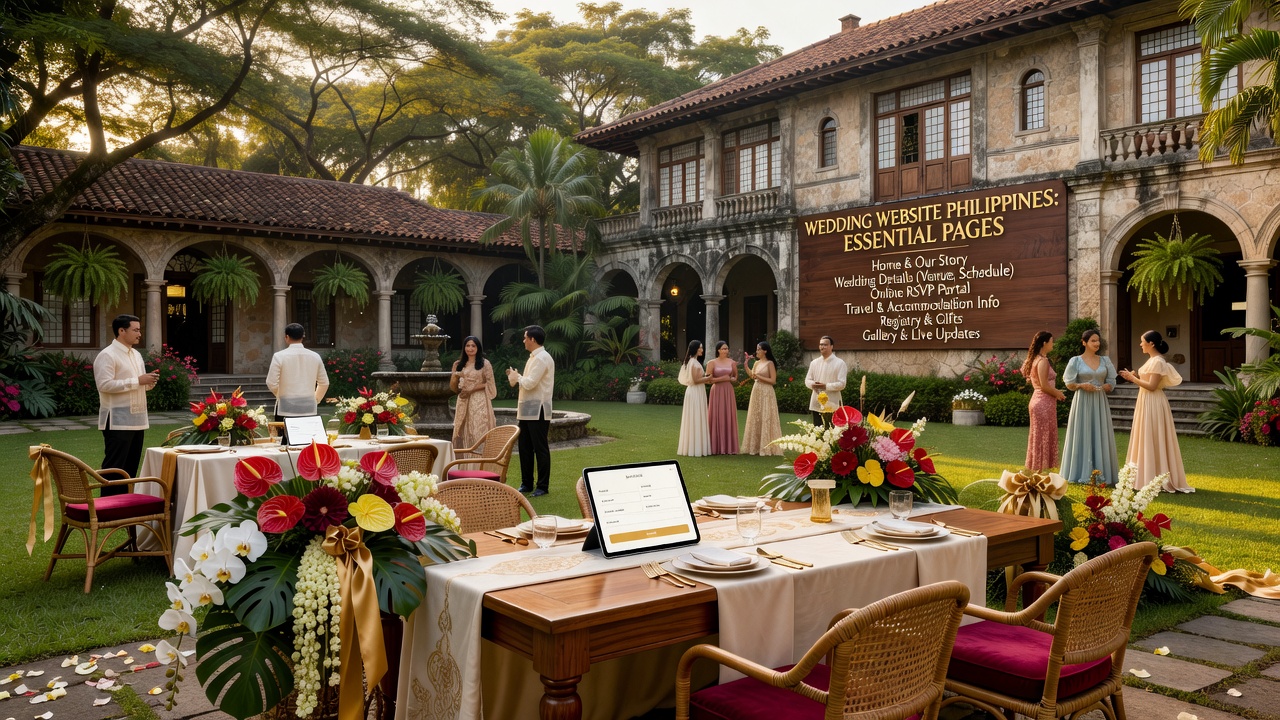
Minimum must-have pages (simple, complete, Filipino-friendly)
- Homepage (one-screen overview)
Purpose: set context and guide guests to RSVP quickly. - Wedding Details
Purpose: ceremony and reception schedule, venue addresses, parking/transfers, and an FAQ link. - Accommodations / Travel (optional but helpful)
Purpose: hotel suggestions, commute tips, and “how to get there” instructions. - Online RSVP
Purpose: attendance confirmation, plus-one confirmation, dietary restrictions, and contact info for follow-up. - FAQ
Purpose: dress code, how to handle gifts, kids policy, who to contact, and “how to update RSVP.” - Registry / Gifts (optional)
Purpose: if you include it, keep the instructions clear and respectful of Filipino norms. - Contact Page
Purpose: your coordinator’s number/email and expected response time.
Design tip: make RSVP the fastest tap
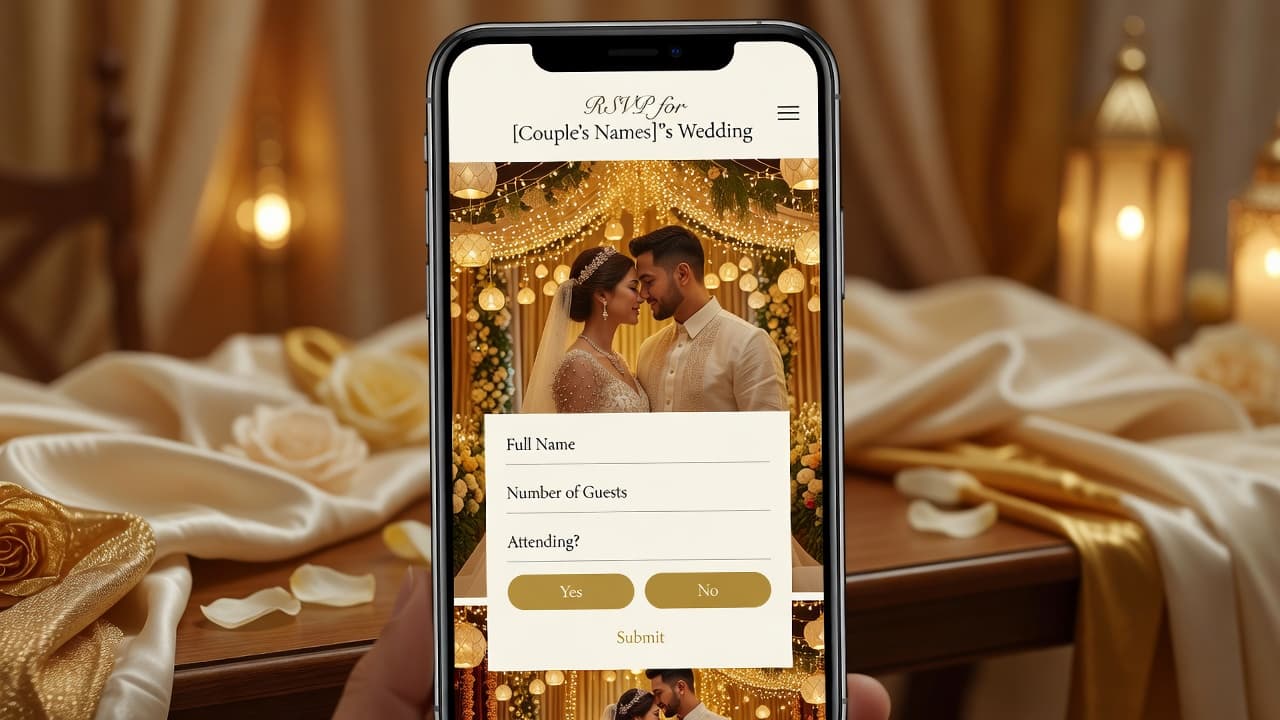
On mobile, your RSVP button should be visible immediately. Use a high-contrast button labeled “RSVP Here” and add a second link in the menu for guests who miss the first CTA.
How do you set up online RSVP for Filipino guests?
Online RSVP should feel familiar, not like a complicated form. Your goal is to collect the minimum reliable information while making the process easy for guests across generations.
Step-by-step: build an RSVP flow that guests finish
- Use a short, mobile-first form
Typical fields: full name, attendance (yes/no/maybe), plus-one (yes/no), plus-one name (if applicable), dietary restrictions, and an optional note. - Confirm deadlines clearly
Example: “Kindly RSVP on or before 15 August 2026.” - Make “No” helpful
Add a polite message field or a toggle that says “Sorry, cannot attend (but we’d love to know why)” if you want contextual planning. - Add an “Update RSVP” link
Guests change plans. Provide a simple way to update without contacting you every time. - Send reminders automatically or via your workflow
One reminder at 7 days before the deadline and one 1–2 days before is usually enough. - Test on real devices
Have 2–3 people (including a less tech-comfortable one) try the RSVP on mobile data + Wi‑Fi.
Featured-snippet friendly checklist: If you want a quick structure, follow this:
- RSVP button on homepage
- Deadline stated
- Attendance yes/no
- Plus-one yes/no + name
- Dietary restrictions (simple options + free text)
- Confirm submission
Sample wording for Filipino guests (that feels natural)
Your wording matters. Filipino invitations usually carry warmth, clarity, and respect. Use simple English with light Tagalog/Taglish where appropriate—without making the form too “heavy.”
RSVP instruction text (copy/paste)
English + Filipino-friendly option:
Dear Family and Friends,
Kindly confirm your attendance by filling out our Online RSVP at this link: [RSVP Link].
Please RSVP on or before [Deadline] so we can finalize the headcount for the venue and catering.
If you are bringing a plus-one, please include their full name. For special meals, please indicate any dietary restrictions (e.g., allergies, no pork, vegetarian).
Short “Do this if…” prompts inside the RSVP form
- If you can attend: Select Yes, I will be attending.
- If you’re bringing someone: Select Yes, I have a plus-one and enter their full name.
- If you can’t attend: Select No, I cannot attend. Thank you for understanding.
- If you need special food: Choose your dietary needs and add notes if needed.
How to handle plus-ones in your RSVP flow (without confusion)
Plus-ones are where RSVP chaos usually starts. Guests assume the “free seat” is obvious—while the couple assumes it’s conditional. Your RSVP page should make the rules visible and simple.
Define your plus-one policy (choose one and state it)
Pick the policy that matches your budget and venue rules:
- Policy A: Plus-one included for couples
Guests with “pairing” can bring one additional person. - Policy B: Plus-one allowed on confirmation only
You allow plus-ones, but you must limit headcount. - Policy C: Plus-ones not allowed
Only listed guests are invited. (Still allow guests to ask via contact form—don’t hide the option.)
Form logic that reduces errors
In your RSVP form, use conditional prompts:
- Attendance selection appears first.
- If Yes, show “Bringing a plus-one?”
- If the guest selects Yes, show a field for Plus-one full name and optionally Relationship (helpful for seating/introductions).
- If your policy doesn’t allow plus-ones, display a gentle message: “Plus-ones are not included. Please contact us for exceptions.”
Sample wording for plus-ones
For Policy B (recommended for many Filipino weddings):
We are excited to celebrate with you! If you will be bringing a plus-one, please confirm their full name in the RSVP form. This helps us coordinate seating and catering.
For Policy C:
To respect our seating plan, plus-ones are only for guests listed in the invitation. If you need an exception, please message us through the Contact form.
How to collect dietary restrictions (clean, usable, and respectful)
Dietary requests should be easy to submit and easy to interpret. Instead of one long text box, use a combination of selectable options plus an optional notes field. This improves accuracy and helps your caterer plan.
Recommended dietary fields to include
- Meal type: Standard / Vegetarian / Vegan / Seafood / Halal (only if relevant)
- Allergies: Nuts, Dairy, Eggs, Shellfish, Gluten/Wheat, Soy, Sesame, Other
- Religious or cultural needs: Pork-free / No alcohol-friendly items (if you’re providing drinks)
- Severity note (optional): “Mild” vs “Severe” (only if you’re comfortable asking)
- Free text notes (optional): “Please avoid shrimp sauce; can eat fish.”
Sample dietary wording (Filipino-friendly)
Special Meals / Dietary Restrictions (optional):
If you have allergies or need a specific meal, please choose the closest option and add short notes. We will share your request with the catering team. If we need clarification, we may contact you.
Best practice: separate “diet” from “allergy”
Dietary preference (vegetarian) and allergy risk (e.g., severe nuts) should not be treated the same. By capturing both, your caterer can follow the right preparation process.
Where does WedPlanner fit into the workflow?
WedPlanner’s tools are designed to make RSVP handling part of your broader wedding planning workflow—so you’re not stuck manually compiling guest lists, translating notes, or chasing updates across group chats.
A practical workflow using WedPlanner (end-to-end)
- Create your wedding website pages
Add your Wedding Details and an Online RSVP page with clear instructions and a mobile-friendly form. - Set up RSVP questions
Include attendance, plus-one confirmation, plus-one name (when applicable), and dietary restrictions fields (options + optional notes). - Publish the RSVP link at the right time
Share it with your guests via your invitation approach (physical invite insert, group chat link, or QR code). - Collect responses in one place
Use WedPlanner’s RSVP collection so submissions stay organized (instead of scattered messages). - Export or share your headcount and restrictions
Provide your headcount summary for seating and your dietary restriction list for catering. This is where your planning time savings really show. - Send reminders (if supported in your workflow)
A reminder cadence reduces late RSVPs and last-minute surprises.
Implementation note: Exact button names and export formats depend on your WedPlanner setup. If you’re new, do a short test run with 3–5 sample “guest” submissions before publishing broadly.
Common mistakes Filipino couples make (and how to avoid them)
These are the issues that usually create the most stress on wedding week:
- Not stating the RSVP deadline clearly
Fix: repeat the deadline on the RSVP page and in your RSVP instructions. - Using only a “text box” for dietary restrictions
Fix: offer selectable options + short notes. - Forgetting plus-one clarity
Fix: conditional prompts that require plus-one name when “yes.” - Assuming guests will find details themselves
Fix: keep key info on the wedding details page and link it in the RSVP. - No way to update RSVP
Fix: include an update mechanism or a contact process.
Costs and options: free vs paid vs “all-in-one”
Costs vary, but the decision usually comes down to how much you want to manage manually:
| Option | Best for | Typical downside |
|---|---|---|
| Free forms + simple pages | Small guest lists and low complexity RSVPs | Manual compiling, more message follow-ups |
| Paid RSVP website builder | Medium complexity + need better tracking | You still might export and reconcile data |
| All-in-one wedding planning tools (e.g., WedPlanner workflow) | Couples who want RSVP + logistics in one flow | Setup time; you must configure fields correctly |
Practical recommendation: If dietary restrictions and plus-ones matter to you (they usually do in Filipino weddings), choose a system that supports structured RSVP fields and organized collection.
Accessibility, mobile testing, and privacy basics (GEO + real-world usability)
A wedding website should work for everyone—especially guests who will RSVP using mobile data. Also, remember that RSVPs include personal information.
Make it easy to use
- Mobile-first: big buttons, short form fields, minimal scrolling.
- Fast loading: keep images optimized and avoid heavy embeds.
- Readable text: good contrast and simple font sizes.
Respect guest privacy
Use a trusted platform and limit what you request in the RSVP. If guests upload notes that reveal health details (severe allergies), keep access restricted to you and your key organizers.
External reference: The Philippines National Privacy Commission provides guidance on data protection obligations: [External link: https://www.privacy.gov.ph/].
Key Takeaways
- Build a wedding website Philippines with clear pages: Details, FAQ, and a dedicated Online RSVP page.
- Answer the big questions early: schedule, venue, deadline, and “how to RSVP” instructions.
- Handle plus-ones with conditional prompts that require the plus-one’s full name when applicable.
- Collect dietary restrictions using selectable options + optional notes so your caterer can act.
- Use WedPlanner’s RSVP workflow to organize submissions and share headcount/restrictions with the right people.
- Test on mobile and publish your RSVP link with reminder timing to reduce late responses.
Frequently Asked Questions
When should we send the RSVP link for a Filipino wedding?
Send the RSVP link soon after guests receive the invitation details (or a Save the Date). Then reinforce it with reminders based on your deadline—typically one reminder about a week before and one final reminder 1–2 days before. This improves on-time RSVPs and reduces last-minute seating changes.
Should we allow “maybe” RSVPs?
It’s optional, but “maybe” can be useful when travel or family availability affects attendance. If you use it, treat it like a provisional count: set a final RSVP cut-off so catering and seating don’t stall. For strict headcounts, consider Yes/No only.
How do we word RSVP instructions for older Filipino guests?
Use friendly, direct language: “Kindly confirm by filling out the form.” Include the RSVP deadline and keep the form questions short. Consider adding a phone/contact option for guests who struggle with links. The goal is clarity, not cleverness.
What information should we collect for plus-ones?
At minimum, collect the plus-one’s full name. If seating matters, you can also collect a short relationship note (e.g., “friend,” “coworker,” “sibling”) to help introductions. For dietary needs, ensure plus-ones can submit their own restriction notes.
How should we ask about dietary restrictions without sounding too formal?
Keep it simple and respectful: “Special Meals / Dietary Restrictions (optional). If you have allergies or need a specific meal, please choose an option and add brief notes.” Emphasize that you’ll share the details with the catering team to help them prepare properly.
Can guests update their RSVP after submitting?
You should plan for changes. Provide either an “Update RSVP” link on the confirmation page/email or a straightforward contact method that routes updates to the right person. Updating reduces confusion and prevents outdated counts from reaching your venue team.
Do we need an RSVP page if we already have a group chat?
Group chats are useful, but they’re not structured. RSVP pages are better for clean data: attendance counts, plus-one names, and dietary selections. When catering needs specifics, structured inputs save time and reduce errors that happen with screenshots and scattered messages.
How can we share dietary restrictions with our caterer safely?
Share only what’s necessary: names, attendance status, plus-one names (if relevant), and dietary restriction details. Limit access to people who need it and store exports in a controlled folder. If you’re unsure about privacy compliance, consult official guidance from the National Privacy Commission.
Conclusion
A wedding website should make your wedding easier for both you and your guests. If you design the right pages and build an online RSVP flow that clearly handles attendance, plus-ones, and dietary restrictions, you’ll reduce stress and protect your headcount accuracy.
CTA: If you’re setting up your wedding website Philippines next, build your site around an RSVP form first—then plug in tools like WedPlanner to keep guest responses organized from submission to final catering and seating.